
Titan Text Expander™
Titan Text Expander™
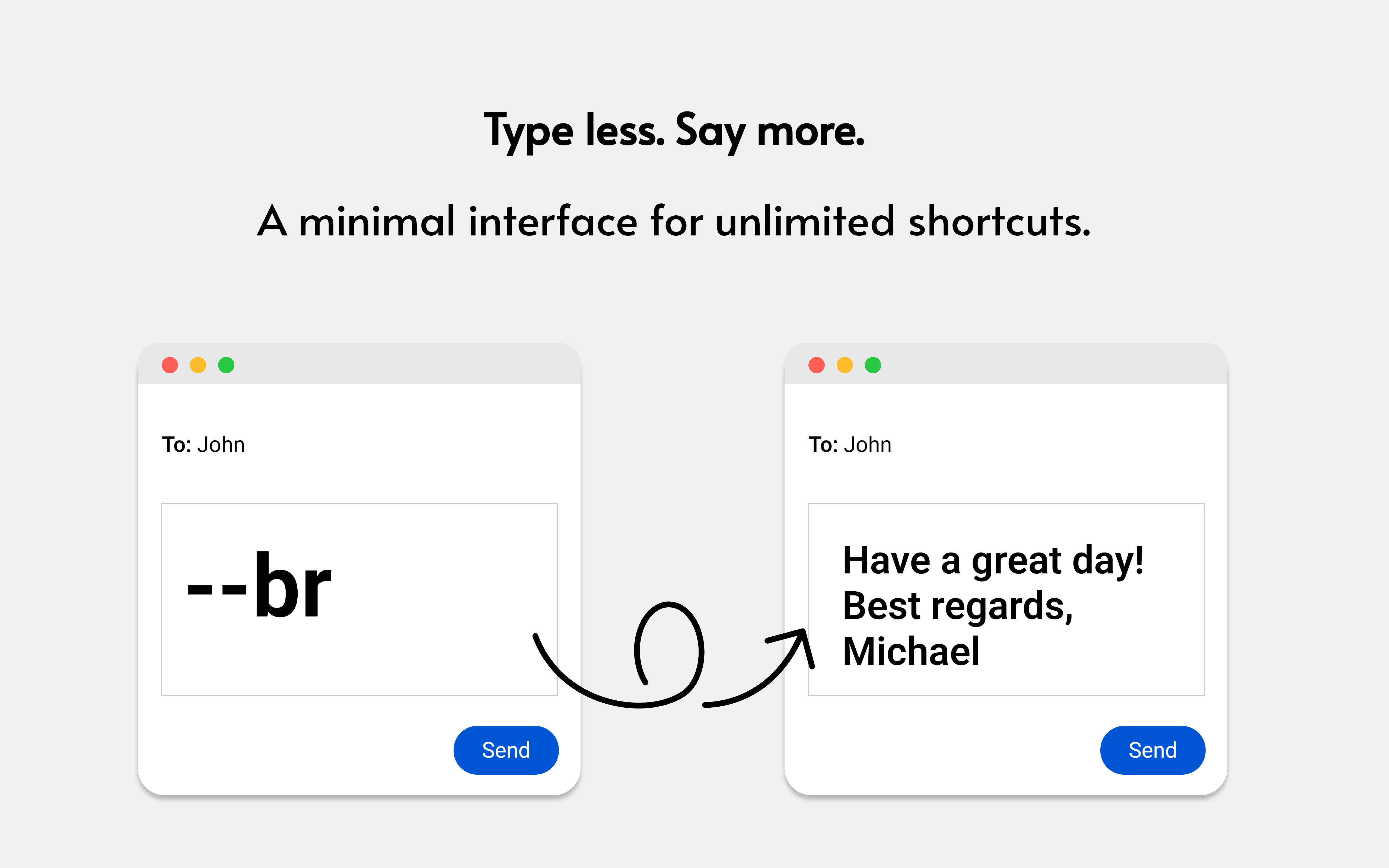
Titan Text Expander is a high‑performance Chrome text expander designed to automate repetitive typing using simple double‑dash shortcuts such as --sig, --reply, --intro, and --iban. It expands snippets, templates, and long‑form text instantly on any website, improving productivity and consistency across all communication.
Users searching for a text expander for Chrome, a snippets tool, or a template automation extension will find Titan Text Expander to be a fast, privacy‑focused, and reliable solution.
Why Titan Text Expander Is a Leading Text Expander for Chrome
Titan Text Expander is built for professionals who require fast, consistent, audit‑safe text expansion across browser‑based tools. It supports customer support teams, legal departments, compliance officers, recruiters, sales teams, developers, and anyone who types recurring content.
Key Advantages
- Double‑dash shortcuts for rapid expansion (
--sig,--thanks,--followup,--address) - Unlimited snippets and templates
- Compatible with all major platforms including Gmail, Outlook, LinkedIn, CRMs, ticketing systems, Notion, and Google Docs
- Privacy‑first architecture with no cloud syncing or data collection
- Minimalistic interface optimized for speed and reliability
- Ideal for regulated industries requiring audit‑safe workflows
Instant Text Expansion with Double‑Dash Shortcuts
Titan Text Expander uses a simple shortcut system based on double dashes. Typing --keyword triggers an immediate expansion of the associated snippet.
Shortcut Examples
--sigexpands to a full email signature--replyinserts a standard customer support response--ibaninserts banking details--introinserts an outreach introduction--legalinserts legal boilerplate text--fr,--de,--itinsert multilingual templates
This system makes Titan Text Expander one of the most efficient text expander tools for Chrome, optimized for speed, accuracy, and professional workflows.
A Complete Snippet and Template Tool for Professionals
Titan Text Expander supports a wide range of use cases, including:
- Customer support canned responses
- Sales outreach templates
- Recruiting messages
- Legal and compliance boilerplate
- Technical documentation blocks
- Multilingual communication
- Internal SOPs and checklists
- Social media replies
- Helpdesk macros
- Email signatures and disclaimers
Any text typed repeatedly can be automated with Titan Text Expander.
Privacy‑Focused and Audit‑Safe
Titan Text Expander stores all snippets locally on your device. No cloud storage, no accounts, and no tracking are involved, making it suitable for:
- Legal teams
- Compliance departments
- Public sector organizations
- Healthcare communication
- Financial institutions
- Privacy‑sensitive environments
This ensures a secure, controlled, and audit‑ready workflow.
Compatible with All Major Web Platforms
Titan Text Expander works seamlessly on:
- Gmail
- Outlook Web
- WhatsApp Web
- Slack Web
- Zendesk
- HubSpot
- Notion
- Google Docs
- CRMs and ticketing systems
- Internal portals
- Browser‑based editors
Any text field in Chrome supports Titan Text Expander.
Core Features
Unlimited Snippets
Create and manage as many templates and shortcuts as needed.
Long‑Form Template Support
Store full paragraphs, disclaimers, onboarding messages, legal clauses, and multilingual variants.
Double‑Dash Shortcut System
Use intuitive triggers such as --sig, --reply, --intro, --iban, and custom keywords.
Minimalistic and Fast
The interface is designed for clarity and speed, without unnecessary features.
Suitable for Individuals and Teams
Freelancers and large organizations benefit from consistent, automated communication.
Who Benefits Most from Titan Text Expander
Customer Support Teams
Use it to deliver consistent, fast responses.
Legal and Compliance Professionals
Insert standardized clauses and regulatory text instantly.
Developers and Technical Writers
Reuse documentation blocks and structured templates.
Sales and Recruiting Teams
Send personalized outreach messages efficiently.
Multilingual Professionals
Switch between language templates with ease.
Frequently Asked Question
If you ever find a website where Titan Text Expander does not expand your snippets correctly, please report it using the support form on this page https://titanplugins.com/support